Overview01
Applying to jobs produces a stream of email: a confirmation, then silence, an interview invite, a rejection, sometimes an offer. JobbyMail reads that stream and keeps the table a job seeker would otherwise maintain by hand.
A Python pipeline syncs the mailbox read-only over IMAP, classifies each message, extracts the company and role, and resolves the email to an application. Every change is an event in an append-only log in SQLite, and each application's status is worked out from its events, so running the pipeline twice changes nothing and a wrong guess can be corrected without losing history. A Tauri window with React pages shows the result.
- 01
Built an incremental, read-only mail sync (IMAP with verified TLS; the app password lives only in the Windows credential store) that fetches only new messages, de-duplicates by Message-ID, and stores one odd message in raw form instead of stopping.
- 02
Resolved each email to an application with entity resolution: names cleaned, candidates found by q-gram blocking, then matched on q-gram overlap across the company name, the sender's name and the sender's address. Blocking skipped 99.99% of 17.5 million candidate pairs.
- 03
Derived every status from an append-only event log: a status only moves forward on email evidence, a rejection applies from any state, and a status set by hand wins until a newer email arrives.
- 04
Rendered untrusted HTML email safely: an allow-list sanitiser, a sandboxed frame that cannot run scripts, and a content policy inside the frame, with remote images blocked until the reader allows them.
- 05
Wrote the tests during the build and ran them all at the end: 417 tests across four suites (Python, the React UI, the Rust shell and the browser) now pass; the few that failed on the first full run were faults in the tests, not the app.
Reported honestly: every accuracy and timing figure on this page was measured on invented emails written for the build. Real-mail accuracy is unmeasured until a labelled set of real messages exists. The app is Windows only, the installer is unsigned, and Outlook.com accounts are not supported. The code is in a private repository.
From an email to a row02
Each stage writes its own table, so any stage can be re-run without reading the mailbox again. The mailbox is opened read-only, so the app cannot mark, move or delete anything, and attachments are never stored.
A rule-based classifier that avoids false rejections
The first classifier is a set of rules. Marking a live application rejected is the costliest error, so a status phrase is ignored when the sentence is conditional ("if you are not moving forward…", "until the position has been filled"), a status needs a job word nearby, and a rejection that sits beside "we received your application" becomes a question for the user instead of a status change.
Entity resolution03
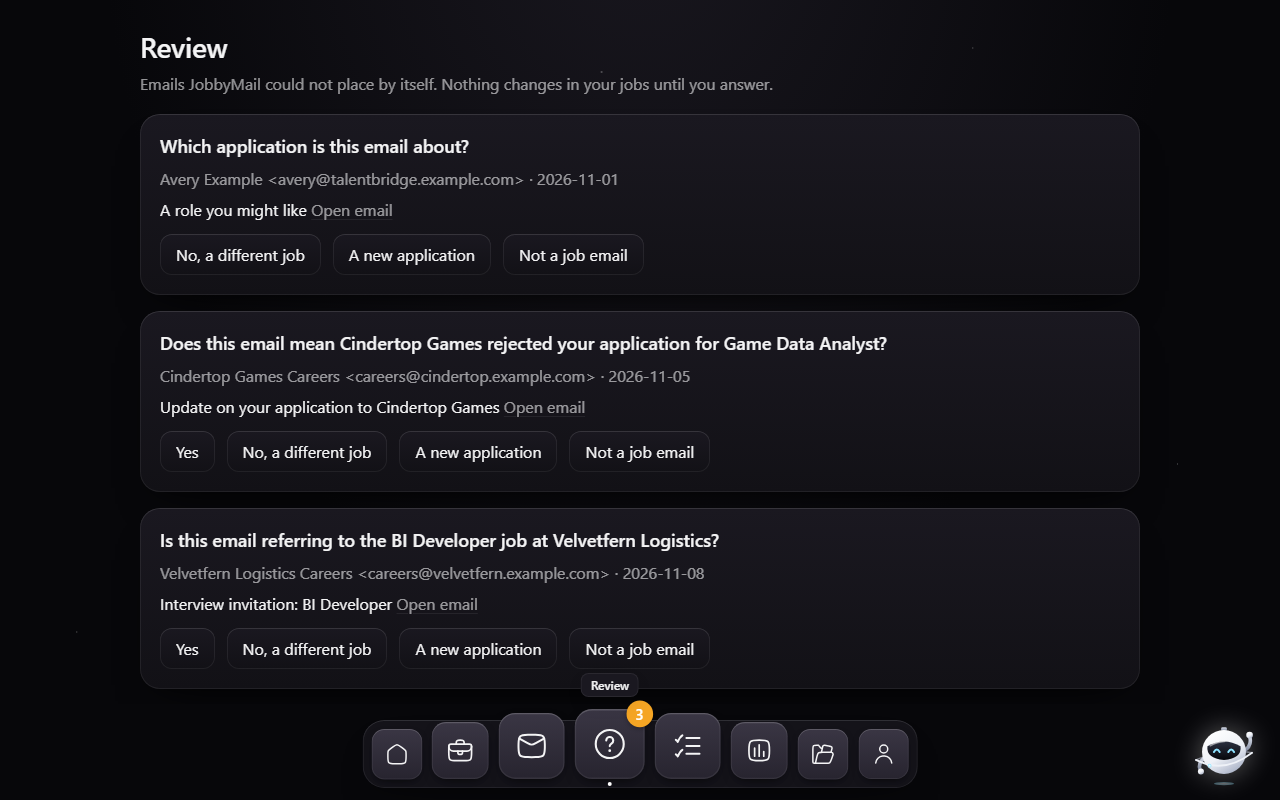
"Acme Recruiting", "Acme Corp" and a hiring platform's address can all be the same employer. A later email has to find the right application, and the right role when there are two.
| Score | Outcome |
|---|---|
| 0.70 or more | matched to that application |
| 0.40 to 0.70 | a question: “Is this email referring to the Data Analyst job at Acme?” |
| below 0.40 | a different company |
The thresholds came from 40 hand-made name pairs: the same company scored 0.41 to 1.00 and different companies 0.36 to 0.60. The ranges overlap in the middle, and that band is what goes to the user as a question.
At 5,000 companies and 6,000 emails, blocking compared 2,229 of 17.5 million possible pairs and the run took about 12 seconds, with all 1,000 follow-up emails matched to the right application.
A rule that changed during the build: at first every email in the middle band became a question. A scale test showed that two different companies sharing a common word ("… Robotics") land in that band, which would have turned every new application at a similarly named company into a question. A first confirmation from a merely similar name now starts a new application; interviews, rejections and offers still ask.
Events and status04
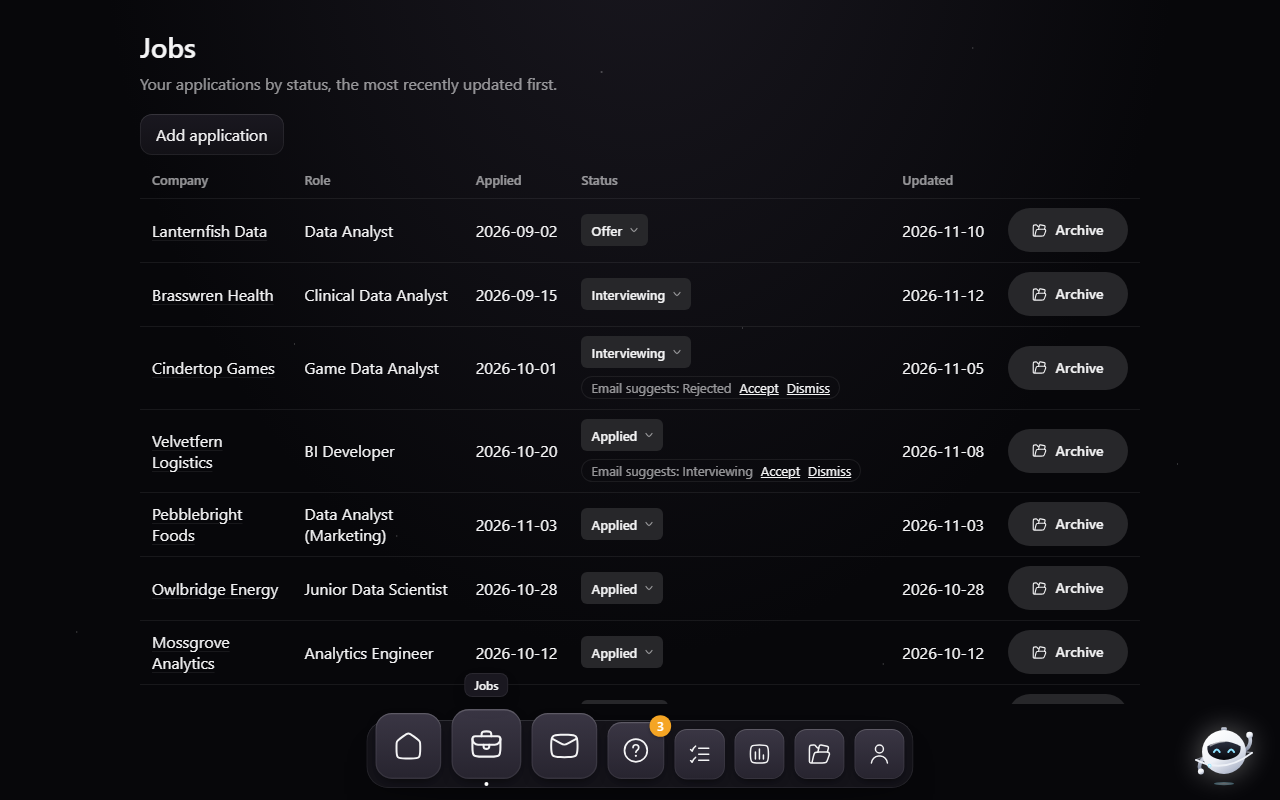
Nothing in the event log is ever updated or deleted; the database refuses both. Each event from an email carries a key built from the message and the application, so processing the same mailbox twice adds nothing.
Showing untrusted email05
Clicking a job opens the email behind it inside the app. HTML email is untrusted input, so it passes three layers before it is shown.
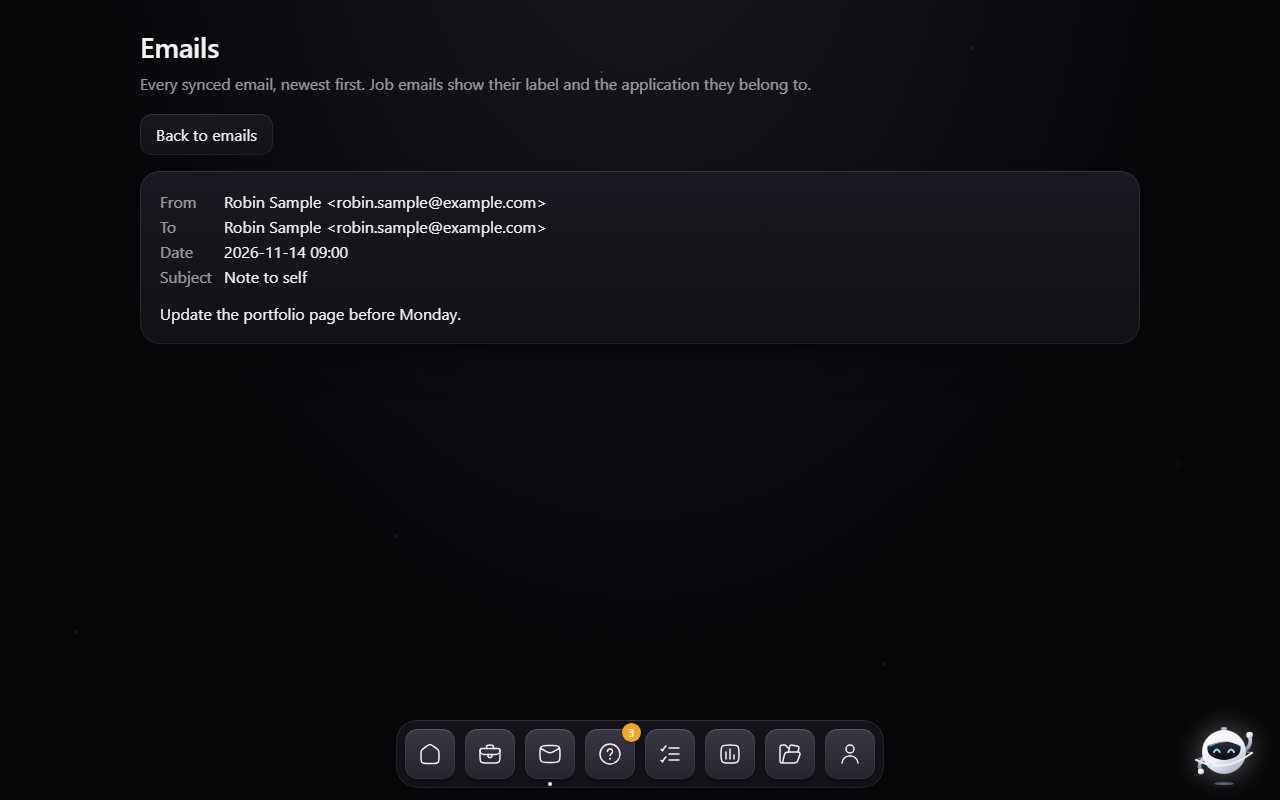
Remote images are blocked until the reader presses "Show remote images" for that one email, because loading an
image tells the sender the mail was opened. In review, 37 hostile emails written for the purpose (script tags,
event-handler attributes, javascript: links, forms, meta refresh, CSS url() tricks, SVG and
MathML shapes) were each opened both ways: no script ran and no request left before the button was pressed.
In the desktop window, a link in an email opens in the system browser, and only for web and email addresses; the allow-list is in the window's Rust code, and the page itself has no permission to open anything.
Insights and a gated model06
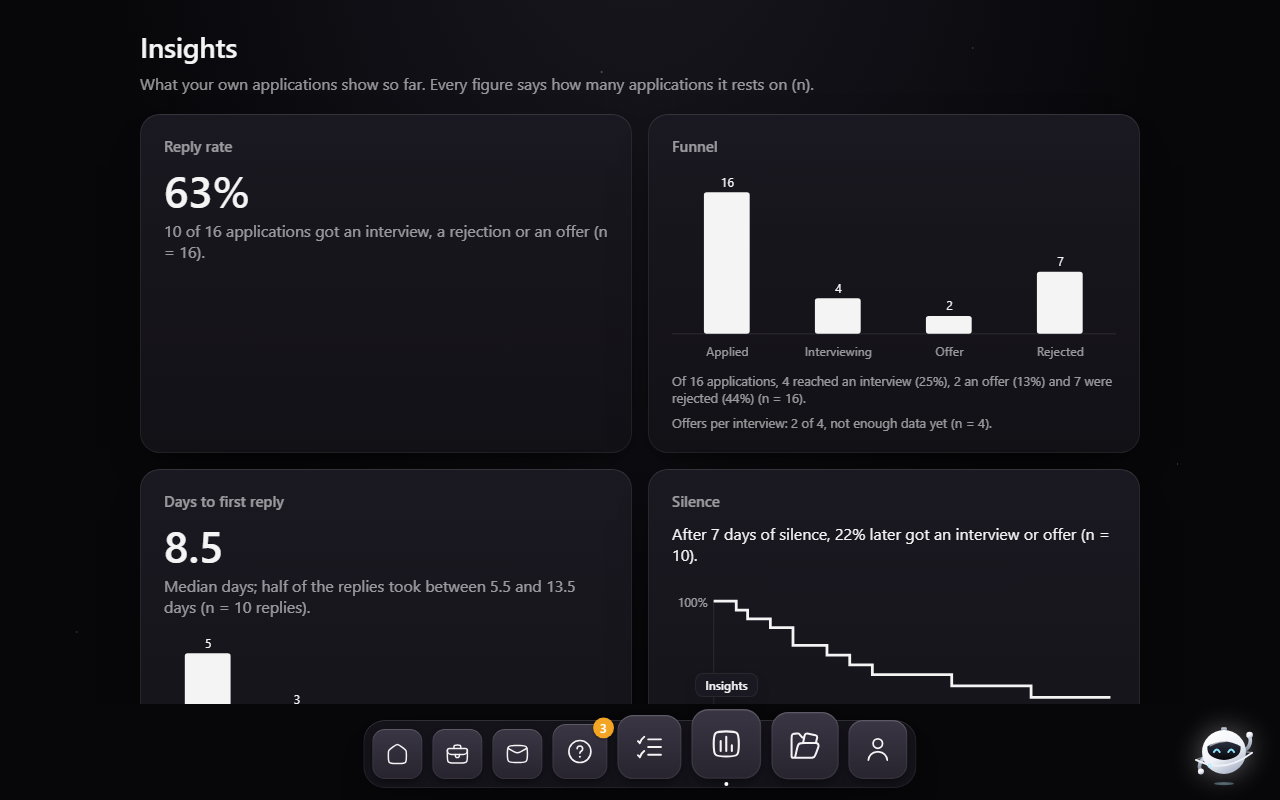
The Insights page answers what a job seeker asks of their own search: how many applications get any reply, how long a reply takes, and when silence starts to mean no. The silence estimate is a Kaplan-Meier style curve that treats applications still waiting as not answered yet, instead of counting them as never answered. Any rate or estimate needs at least 10 applications behind it; below that the page says "not enough data yet" and shows only counts.
A trained classifier behind a gate fixed in advance
A TF-IDF and logistic-regression classifier, written in the standard library so the installer stays small, can replace the rules, but only by passing a gate written into the design before any real result existed:
No model ships with the app. The mechanism was proven on generated emails, with sets built to pass and to fail the gate; a failing run removes any older model and the rules take over again.
The model file is JSON written and validated by the app's own code, never a pickle, so a corrupt or planted file cannot run anything.
The desktop app07
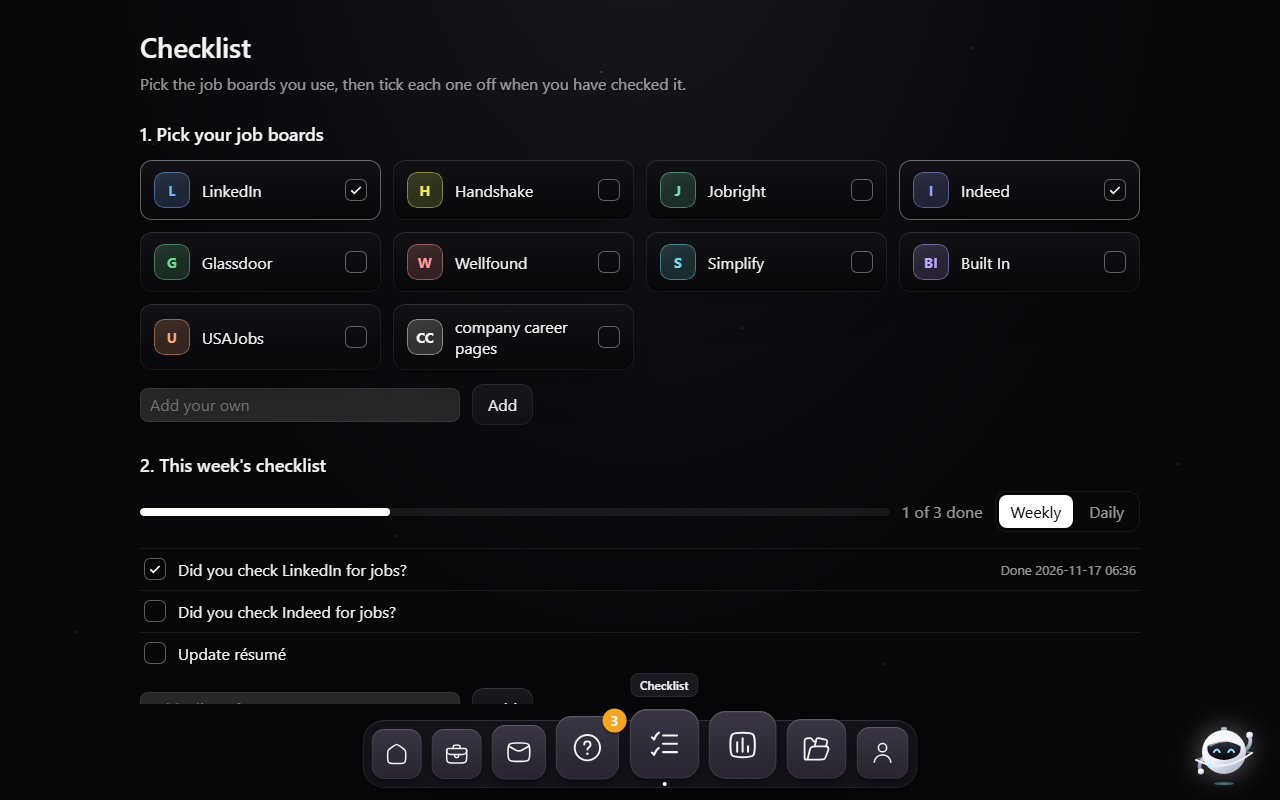
The window is Tauri, which uses the system's own web view, so the installer is 12 MB. The
pipeline is frozen into a self-contained folder and started by the window from its own resource folder; it serves a
local connection on 127.0.0.1 that requires a random token, and it stops when the window closes.
How it was built08
The app was built in 15 phases by a loop of four roles: an architect that wrote each phase's plan and its checks, a builder, a checker that ran every check and never edited code, and the architect again as reviewer.
By the end the build carried 110 checks. The installer is produced by one command: the pipeline is frozen, the window is compiled in release mode and both are bundled into a per-user Windows installer.
Still open: accuracy on real mail, Microsoft sign-in for Outlook.com, real job-board logos in the checklist grid (lettered tiles stand in), and a signed installer.